MotionRecord – Live Motorcycle Lean Angle with a Smartphone Telemetry App
MotionRecord taps the 6 sensors in your smartphone and records 100× per second. G-forces measured, lean angle computed live, everything recorded. No expensive sensor. Just your phone.*


YOU KNOW WHERE YOU RODE. BUT NOT HOW.
Your navigation app stores one point per second on the map. What happens in between — leaning, braking, accelerating — stays invisible.
What feels like 45 degrees of lean is often closer to 30. Without measurement, all you take home is a hunch.
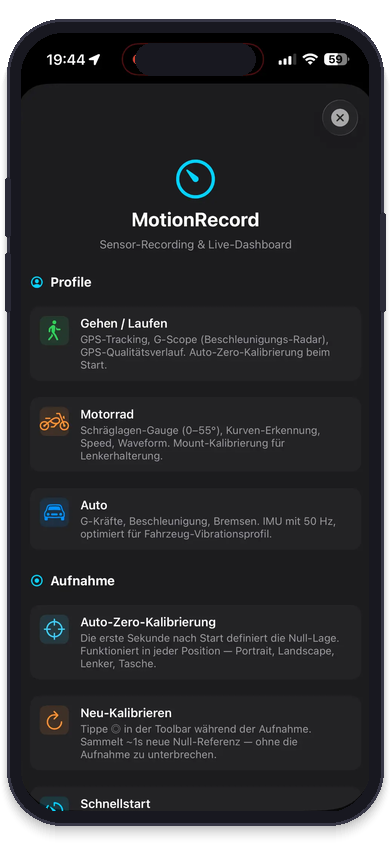
Your smartphone has every sensor it takes built in. MotionRecord records them and shows how you really ride.
YOUR COCKPIT. YOUR STYLE.
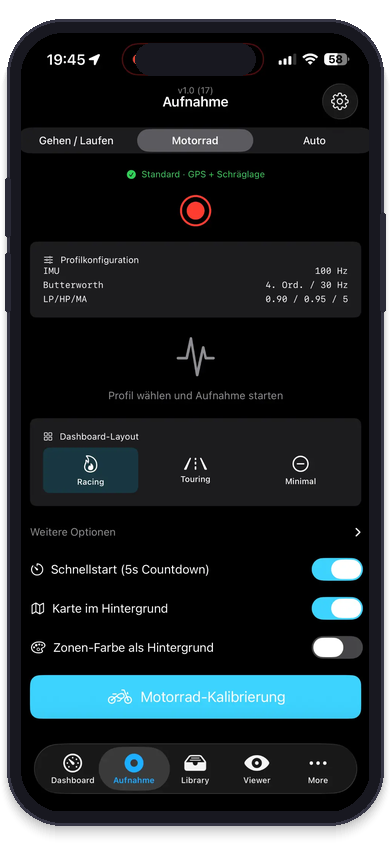
Three new recording cockpits: APEX-R, CIRCUIT and LAB. Pick your style on first launch — and switch anytime with a swipe, even mid-ride.
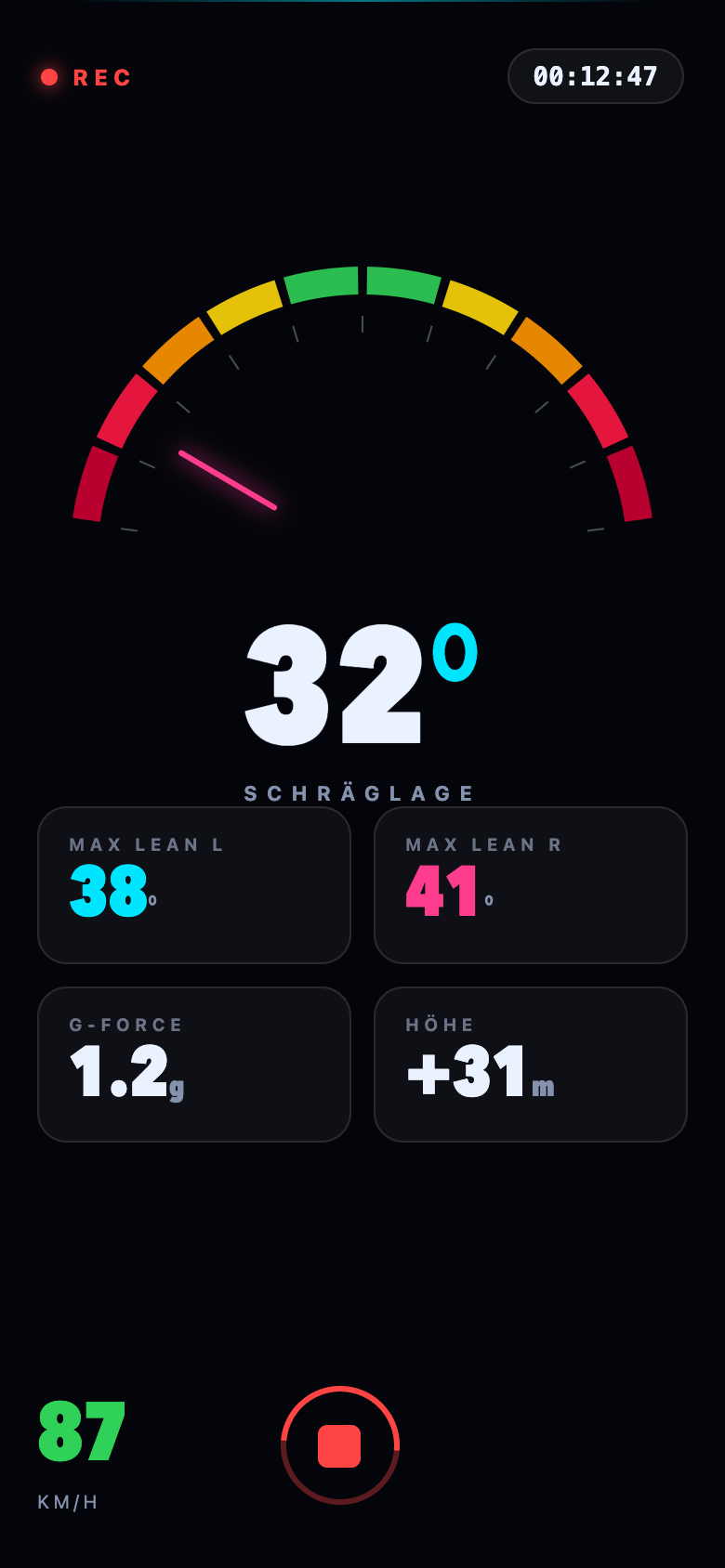
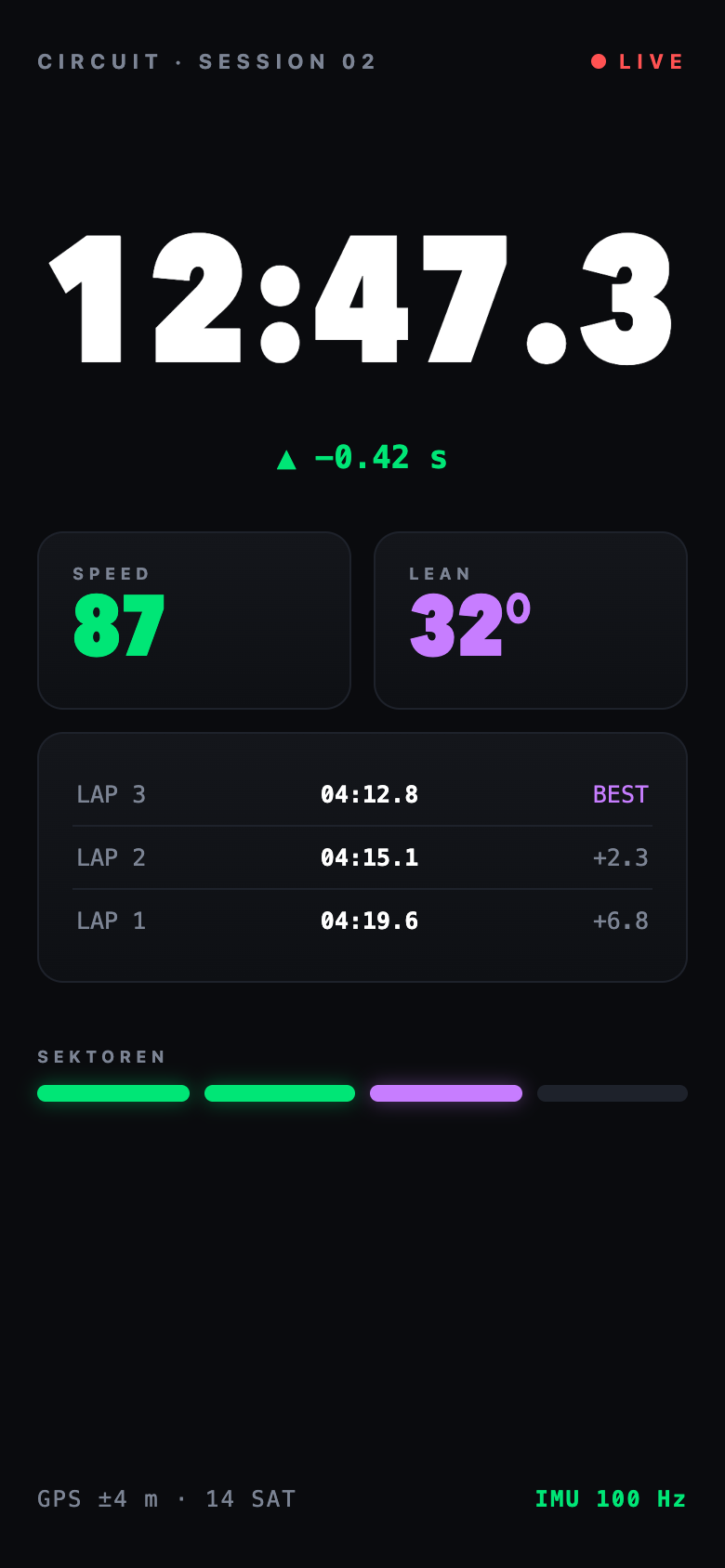
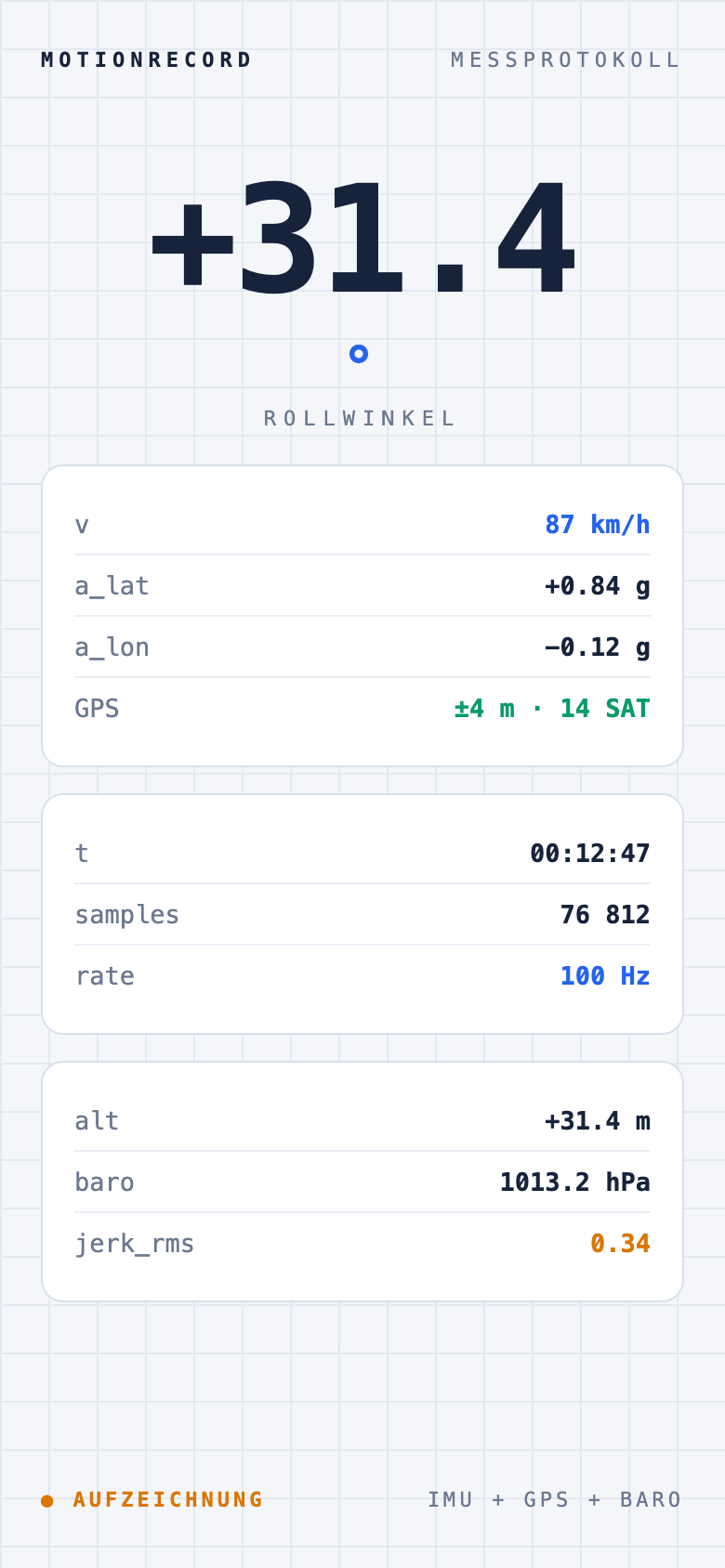
Rolling out on iPhone first — Android to follow.
WHAT GPS CAN'T SEE
Measuring motorcycle lean angle and G-forces: GPS only gives you position — MotionRecord additionally captures gyroscope, acceleration and IMU sensor data in real time.
| Situation | GPS (1 Hz) | MotionRecord (100 Hz) |
|---|---|---|
| You brake before the corner | Sees: speed dropping | Captures: braking force as a G-value, brake point as a data point |
| You turn in | Sees: heading changing | Captures: steering input, turn-in rate as angular velocity |
| You drop into the lean | Sees: heading changing | Also captures: roll rate and lateral acceleration, up to 100× per second* |
| You hit the apex | Sees: roughly the middle | Computes: peak lean, peak G as a data point* |
| You get on the gas on exit | Sees: speed rising | Captures: acceleration force, stand-up moment as a G-value |
| Riding through a tunnel | Loses the signal | Keeps recording the sensors — lean angle pauses until GPS returns |
WHAT MOTIONRECORD DOES
Lean Angle in Real Time
Computed live from GPS course and speed
While you ride, MotionRecord computes roll angle continuously from heading and speed (φ = arctan(v·ω/g)). Gyroscope and accelerometer run alongside at up to 100 Hz — the raw data stays available for detailed analysis later. The app is currently in beta.*
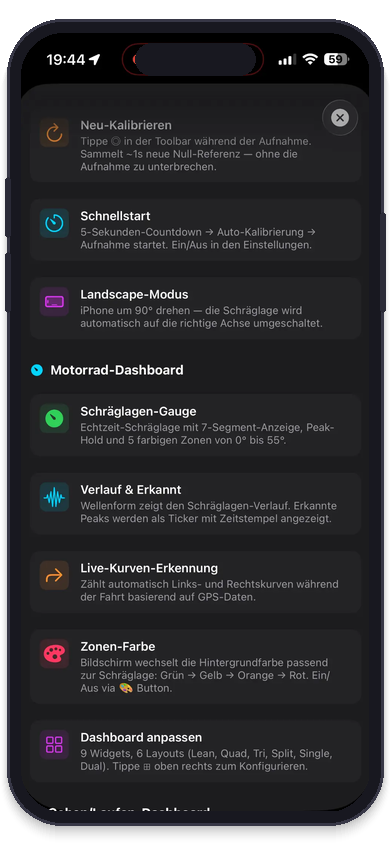
Live Dashboard
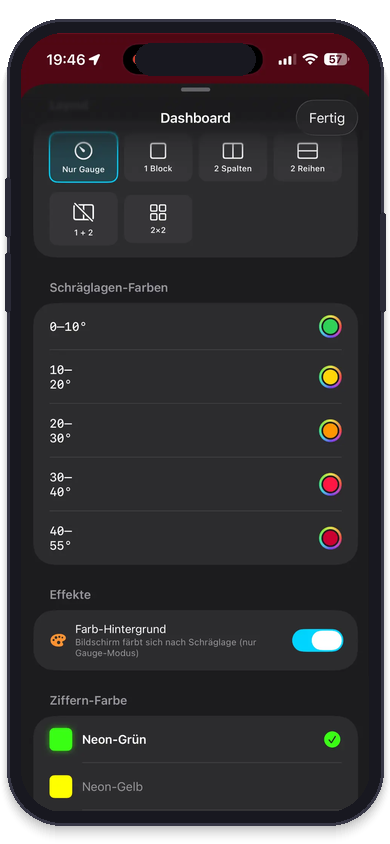
Lean-angle gauge with 5 color zones
Real-time gauge with a 7-segment readout, peak-hold and color zones from 0° to 55°. The screen changes color with your lean angle: green → yellow → orange → red.
Tour Summary
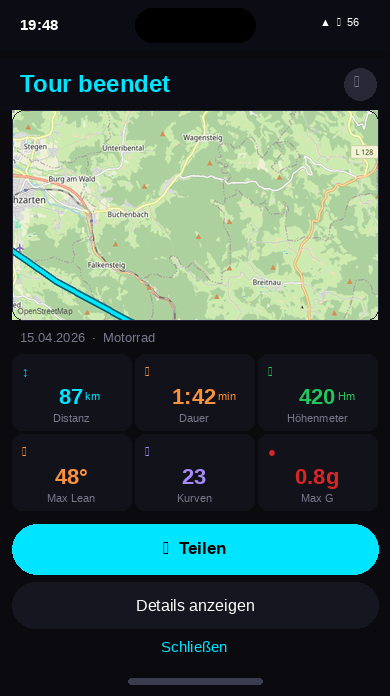
Every metric after the ride
Max lean, distance, duration, elevation gain, corner count and peak G-force — all at a glance. With map and share button.
ALL SCREENS
6 sensors.
One phone.
Up to 360,000 data points per hour. Butterworth-filtered, auto-calibrated, GPS + IMU fused. Values depend on your device.
Accelerometer
Braking force, G-forces, pothole detection — sampling rate depends on the device
Gyroscope
Roll-angle computation, turn-in rate, stability — sampling rate depends on the device
Barometer
Elevation profile, pass detection, tunnel detection — accuracy depends on the device
Magnetometer
Heading, bridge detection — sampling rate depends on the device
Orientation
Rotation vector (computed) · absolute orientation, drift correction — sampling rate depends on the device
GPS
Position, speed, route — accuracy depends on reception and device
* The math: 100 samples per second × 3,600 seconds = 360,000 data points per hour per sensor channel — at maximum sampling rate; actual rate depends on your device.
FOUR SENSORS.
INSTEAD OF ONE.
| App | GPS | Accel. | Gyro | Baro |
|---|---|---|---|---|
| Calimoto | ||||
| Motobit | ||||
| Komoot | ||||
| Relive | ||||
| RideLink WingMan Pro | ||||
| RaceBox | ext. | ext. | ||
| ★ MotionRecord |
RideLink WingMan Pro is a dedicated tracker with a 3-axis gyroscope (no smartphone needed). RaceBox is an external device (from ~$200). MotionRecord uses the smartphone you already carry. The comparison covers which sensors each app records — not how lean angle is derived from them.
* Comparison based on our own test recordings (GPX/JSON) with AI-assisted analysis — no lab testing, no manufacturer involvement. → Technical test report
FROM TODAY
TO THE VISION
Phase 1
- Live lean angle from GPS course and speed
- G-forces (longitudinal + lateral)
- Raw IMU data up to 100 Hz (accel, gyro, magnetometer)
- Barometer elevation profile
- Signal processing (Butterworth, auto-calibration)
Phase 2
- Braking-point analysis (in development)
- GPS + gyro fusion (complementary filter)
- Trail-braking detection
- Turn-in & stand-up rate
- Corner Score V2 (IMU-enhanced)
- Riding-style fingerprint (racer/tourer/technician)
Phase 3
- Road-surface detection (FFT)
- Pothole detection
- Suspension analysis
- Fatigue detection
- Racing-line comparison V1
Phase 4
- Community road map
- AI-based riding-style coaching
- Engine RPM from vibration
- Predictive route suggestions
- Real-time coaching (HUD)
NO EXPENSIVE SENSOR.
JUST YOUR PHONE.
Free. No subscription. Start right away.
💬 Got a question? Any question — we'd love to hear from you:
Ask us on WhatsAppFrequently asked questions
How does MotionRecord determine lean angle?
The app computes lean angle continuously from GPS course and speed: φ = arctan(v · ω / g). On Android the gyroscope additionally smooths the live value (complementary filter). Gyroscope, accelerometer, magnetometer and barometer are recorded alongside at up to 100 Hz and stay available for detailed analysis later. The app is in beta — readings are estimates, not certified measurements.
Do I need an external sensor for MotionRecord?
No. MotionRecord works entirely with the built-in sensors of your iPhone or Android phone. No expensive external sensor required.
Is MotionRecord free?
Yes, MotionRecord is free for iPhone and Android. The app is made by Kurvenfokus.
What's the difference between GPS and IMU for lean angle?
Lean angle can be derived from GPS data: speed and rate of heading change give you the roll angle (φ = arctan(v · ω / g)) — that is how MotionRecord produces the value you see while riding. An IMU instead measures angular rates and acceleration directly, capturing the fast movements between GPS seconds at up to 100 Hz. MotionRecord stores both: the computed trace and the raw sensor data.